
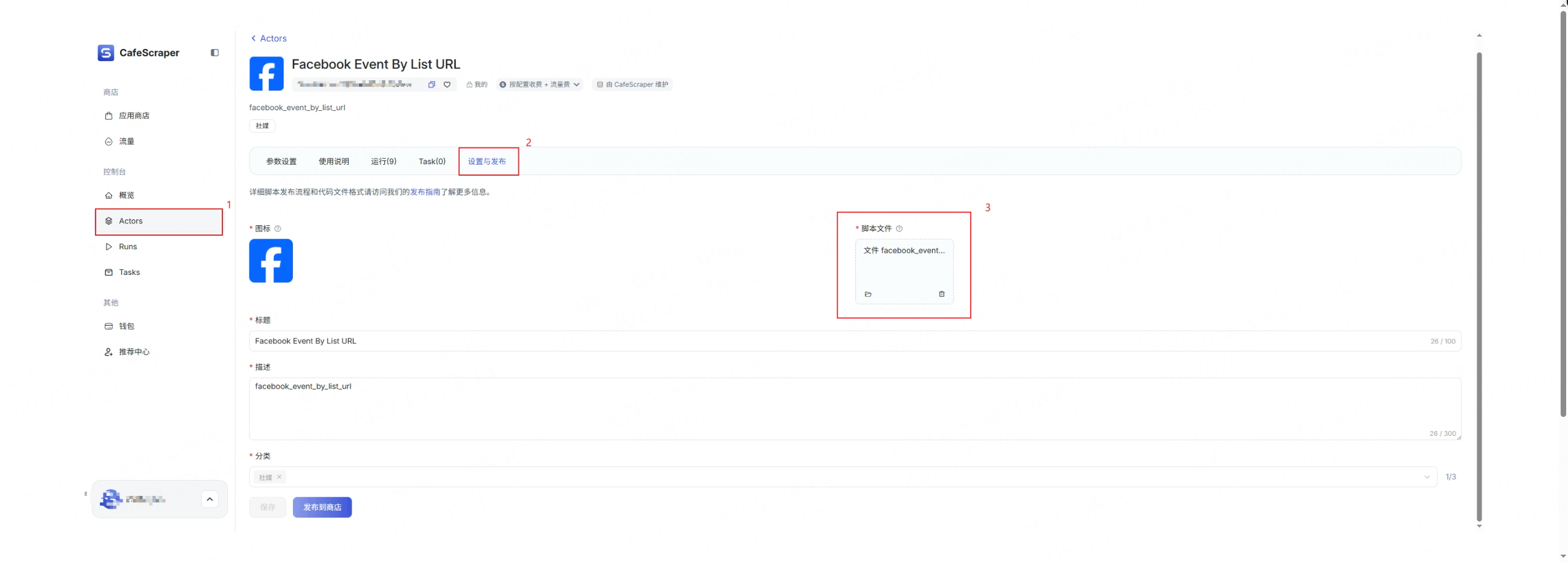
After logging into the console, users can navigate to Script to view and manage the list of scripts they have created. Click on any script to enter the Script Details page, then select Settings & Publishing. On the publishing page, users can:
- Re-upload the script ZIP file
- Update the script’s feature description and related information
If you want it slightly more guided / step-by-step (e.g. for onboarding docs), I can rewrite this as a numbered workflow.